
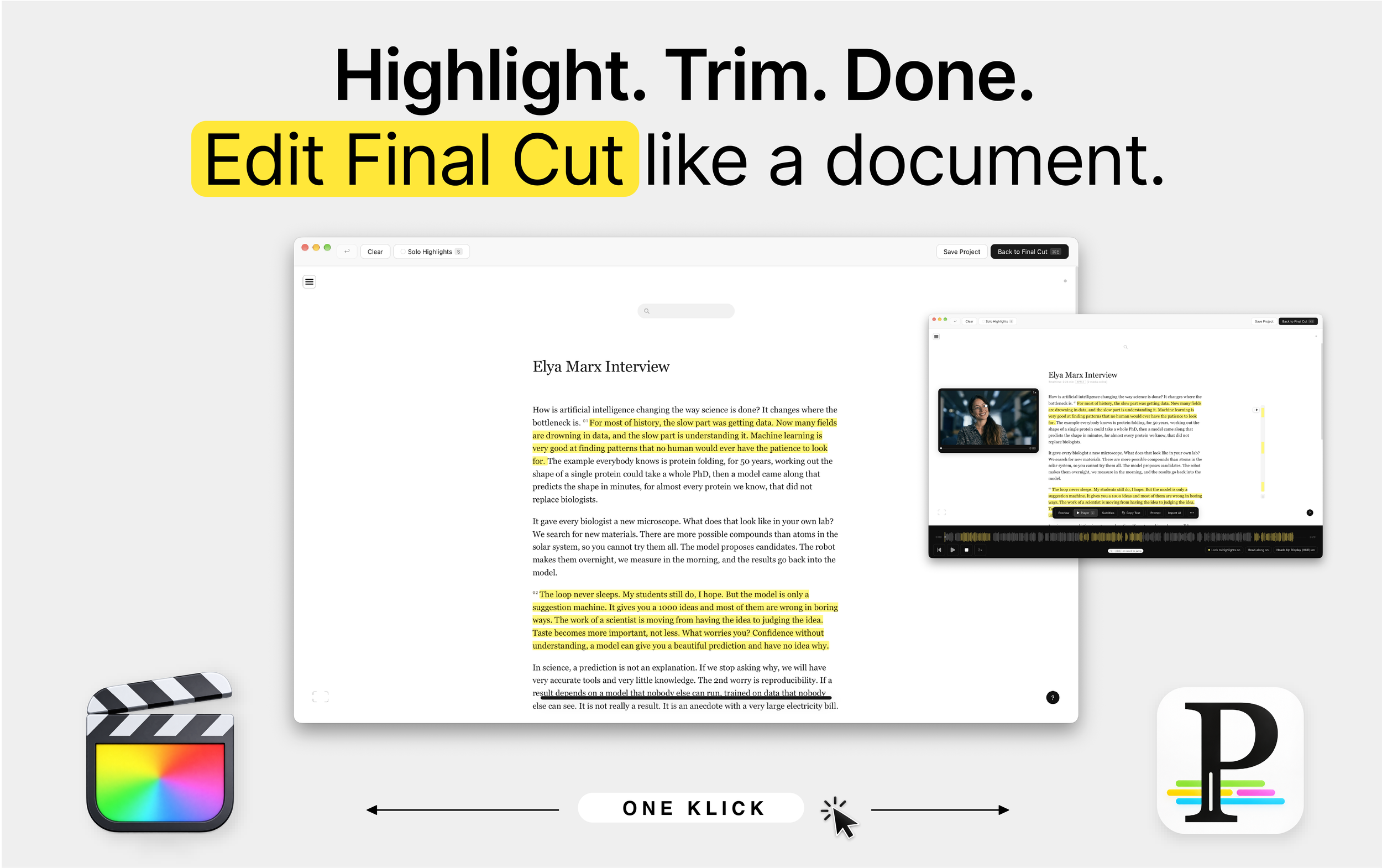
Textbased editing in
Final Cut just got easier.
Send your timeline. Highlight text - that’s it.
Philscriber - Serenely working with text unless .. you need audio - it’s there, visual, it’s there, file sharing without breaking the internet - it’s there, story building, it’s there, search across all your timelines, it’s there - everything you you ever dreamed of doing with Final Cut and text - is there - no cloud needed.
Philscriber. Beyond Marketing.
Philscriber is a native macOS app, not a web service. It registers as a Final Cut Pro share destination: Final Cut renders a proxy and hands it over together with the project's FCPXML, so there is nothing to export, upload or re-import by hand.
Transcription runs entirely on your Mac, with two engines to choose from: Apple's on-device speech engine (macOS 26 or later) or whisper.cpp with the large-v3-turbo model, Metal-accelerated on Apple silicon. No audio leaves the machine, no account is needed, and the app works offline.
Every word carries a timestamp; highlights are word ranges, and the export lays them onto the original storyline: Philscriber reads the FCPXML's resources and spine, so each cut references your original media, not the proxy, at the exact frame fraction of your timeline (1001/60000s stays 1001/60000s, drop-frame stays drop-frame).
Sharing.
A Philscriber project is one file. .philscriber holds the transcript with word timings, every highlight, the play order, subtitle edits, the waveform and, by default, the HUD stills, plus the soundtrack as compact mono AAC (about 29 MB per hour of interview). Send it by mail, AirDrop or a shared drive; the recipient double-clicks it and has the same project, playable and editable, without your media. A folder of interviews travels as a .philstory package: the projects inside, the story order, the bin, the labels and colours, so a whole Storybuild arrives as one item.
Multi-camera files with hour-long timecode starts, multicam and compound clips, and interviews on a secondary storyline all map back correctly; each exported clip is named with its words and carries a marker, so the edit reads in the timeline.
Projects live in a plain JSON library on disk with rolling backups, and a .philscriber file is self-contained: transcript, highlights, order, subtitle edits, waveform, and a compact AAC soundtrack, so a project travels to another Mac without the media.
The picture reference (HUD) is a strip of stills, one every 2.5 seconds, extracted with AVFoundation; the player runs on the extracted soundtrack, so a two-hour interview opens in a second.
Back on the Mac with the media, ⌘E maps the returned highlights onto the original files in Final Cut, exactly as if they had been set there. Without the media, an option in Settings ▸ Export builds the timeline on the travelled soundtrack instead, so a producer can cut a radio edit or a rough assembly from the file alone. Nothing is synced through a server; the files are the exchange.
Hello Betatester!
Enter your email address in the form on the right and we’ll send you the latest philscriber beta build.
Install it, try it with your own Final Cut Pro projects, and see how it feels in a real editing workflow.
philscriber is still in beta, so you may run into bugs or things that don’t quite work as expected. If you do, we’d love to hear about them.
Everything you need is built into the app — help and easy bug reporting included.